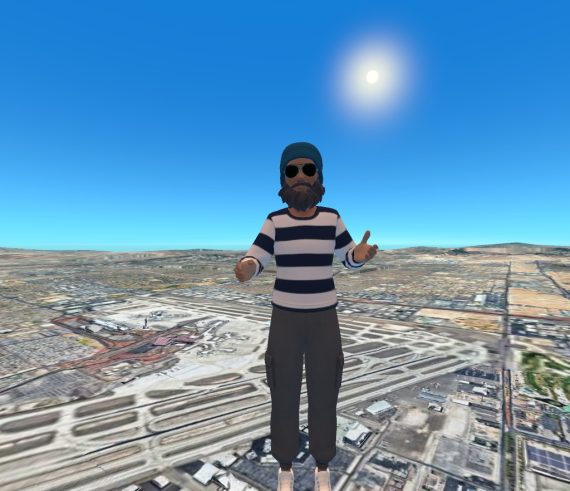
aHumaann
Europe · Regional location
VR streamer and digital content creator. Exploring, playing and creating through Meta Quest, with a community that continues beyond the headset.
Explore my profile →
Community · Virtual worlds · Adults 18+
Meet people, share experiences and create together beyond one game or headset. Discover Virethia’s founding vision and join our community on Discord.
Drag or scroll to explore. Select a pin to meet a member.
Europe · Regional location
VR streamer and digital content creator. Exploring, playing and creating through Meta Quest, with a community that continues beyond the headset.
Explore my profile →Map geometry: Natural Earth ↗
A community beyond one platform
Find people you can keep connecting with, even when you leave a game or take off your headset. Virethia’s founding vision brings belonging, discovery and collaboration into a shared community with room for different countries, cultures and ways of taking part.
Bring adults together across virtual worlds and everyday devices, so friendships, ideas and creative projects can continue beyond a single app.
Virethia.org introduces the virtual republic, its regional embassy vision and its founding registry. It is the place to learn about the project and express an interest in helping it grow.
Our community meeting point: introduce yourself, share your interests and start conversations about exploring, playing or creating together.
Virethia is currently forming. Its website presents a privacy-minded, platform-inclusive founding vision; activities and roles will develop with the community.
Meet the community
The Discord is where I’m inviting people to connect around Virethia. Start by introducing yourself, the platforms you use and the experiences you enjoy. You can suggest a multiplayer session, a shared viewing experience, a creative project or a conversation about life in VR.
You can use Discord from a phone or computer without being inside a headset. A shared VR activity happens in the chosen game or application; agree on the app, joining details and time together.
Start with a conversation
Bring an interest, an idea or a question. Use these ideas to begin a conversation and suggest activities as the community takes shape.
Introduce your favourite games and social worlds. Share your VR username when you are comfortable, and ask who might like to join a session.
Continue conversations on Discord. You can take part from mobile or desktop, including when your headset is charging or you are away from VR.
Suggest a creative project, share an experience, or ask about contributing to the founding community. Let people know what you enjoy and what you would like to learn.
Global founding vision
The website’s proposed embassy network connects people through five continental headquarters. These are the regions shown in the founding vision, rather than a directory of scheduled events or confirmed staff.
Connect across countries, cultures and languages.
North, Central and South America, plus the Caribbean.
A broad region with many communities and perspectives.
Regional connections and multilingual participation.
Australia, the Pacific and island communities.
Your next step
You do not need to arrive with a finished project. Introduce yourself, find out what people are interested in, and see where you would like to participate.
For adults 18+. Read the server’s current rules and onboarding instructions when you join.
Before you join
No. Virethia’s founding vision includes VR, mobile and desktop participation. My own aHumaann experiences start with Meta Quest, but the community’s purpose reaches across platforms.
The website describes the community as forming and invites founding interest. Visit the site and Discord for the latest status; proposed roles and activities may still be taking shape.
It is Virethia’s language for belonging to its virtual social community. The founding registry lets you express interest and learn about participation.
The website invites general inquiries about these areas and other civic roles. Use its founding registry to introduce your interest. Selection processes and responsibilities should be confirmed directly with the community.
Try opening it in your browser or Discord app and check that you are signed in. Invitations and server access can change. If this link no longer works, use the general inquiry form on virethia.org to ask for the current invitation.
Join the community to begin a conversation, or send me a longer proposal through Create with me. That form is for review before anything is published or agreed.
Community overview based on Virethia’s founding website, checked 3 October 2026. Visit the community’s own pages for current rules, access and founding updates.
← Explore the VR app library