Meta Quest model guide · Checked 2 October 2026
Quest 3S keeps the modern Quest platform while making different choices about lenses, display and price. Here is what that means for games, creative apps and first-time owners.
This guide explains the hardware and its practical trade-offs using manufacturer documentation. It is not a claim that I have personally tested every headset. Meta Quest is the starting point for the apps and experiences on aHumaann.
Where Meta Quest 3S fits in the story
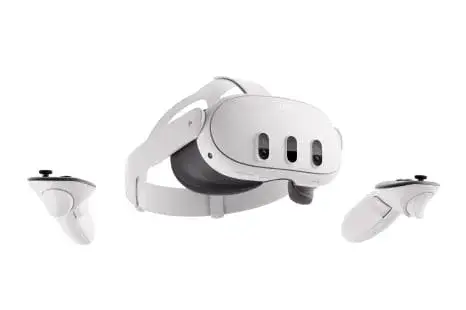
Quest 3S is the model to examine when you want access to the current Quest hardware platform and need to keep the initial cost lower than Quest 3. It is not a new name for Quest 2, and it is not a Quest 3 with identical optics.
It arrived in October 2024, following Meta’s September announcement, with launch prices starting at US$299.99. The processor and memory are Snapdragon XR2 Gen 2 and 8GB RAM. The display is 1832 × 1920 per eye, using Fresnel lenses and three lens-spacing positions.
The useful distinction is that computing power and viewing experience are separate parts of a headset. Quest 3S can support compatible current-generation Quest apps and colour mixed reality, while Quest 3 provides a different lens system and higher display resolution. Choose according to the activity, comfort and price that matter to you.
Sources: Meta launch announcement, Manufacturer hardware details.
What it lets you do—and why that matters
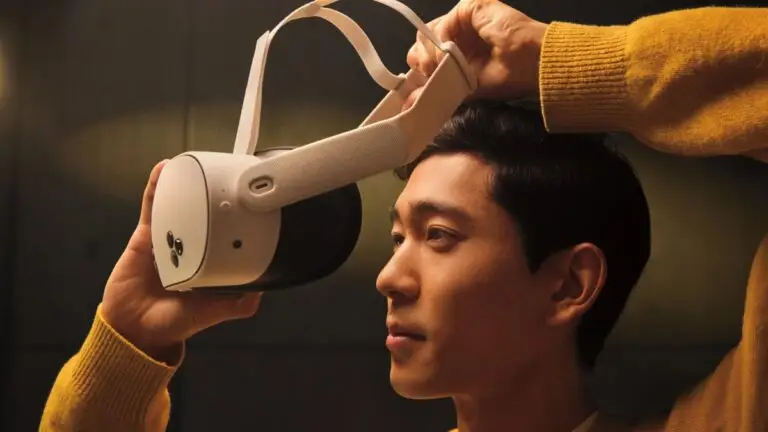
A first-time owner should begin with fit rather than with the largest game available. Adjust the lens spacing and strap, check that the image is clear, and learn the system controls. A ten-minute introduction can be more useful than spending an hour inside an unfamiliar interface with an uncomfortable headset.
Fresnel optics require attention to the position of your eyes relative to the lenses. If clarity changes when you shift the headset, adjust its height and angle before tightening the strap. Test a text panel as well as a game scene. Reading exposes fit problems that a colourful moving environment can hide.
Colour passthrough is the practical change many Quest 2 owners will notice. Supported mixed-reality apps can place digital content into a camera view of the room. That might be a table game, a creative object or an interface that remains aware of your surroundings. It is still a processed camera view, not a clear optical window.
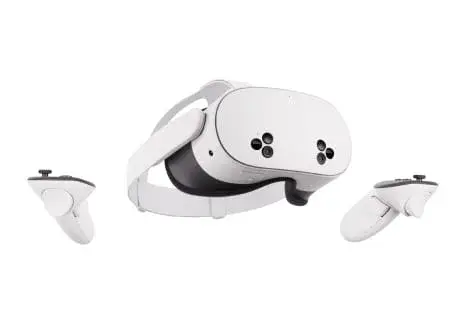
Quest 3S has an action button for switching the environmental view. Learn the current behaviour in the headset’s own instructions, because operating-system features can change. The button and supported gestures are useful shortcuts; they do not remove the need to keep a safe area clear.
Controllers remain important for many games. Hand tracking can be useful in supported menus and apps, but an application designed around sticks, buttons or triggers may require controllers. Keep the wrist straps on for active play and distinguish the controllers’ AA batteries from the headset’s rechargeable battery.
For group sessions, confirm the app first. The fact that two people own Meta headsets does not tell you which version of an application they use, whether a subscription is needed or whether the room supports their devices. A short setup check can prevent a watch party from becoming a troubleshooting session.
| Feature | What it means | What to check |
|---|---|---|
| Modern Quest platform | XR2 Gen 2 with 8GB RAM. | Check each app’s supported devices and software requirements. |
| Colour passthrough | Supports room-based mixed reality. | Requires a compatible app and appropriate room conditions. |
| Fresnel lenses | Different optics from Quest 3’s pancake lenses. | Spend time finding the useful viewing position. |
| Action button | A hardware shortcut for environmental viewing. | Follow the headset’s current instructions for its operation. |
| Touch Plus controllers | Tracked sticks, buttons, triggers and haptics. | Keep AA batteries, straps and controller fit in mind. |
| 128GB / 256GB choice | Two standard capacity options. | Choose for the apps you want installed together, not for higher frame rates. |
Specifications without the guesswork
| Specification | Details |
|---|---|
| Release | October 2024 |
| Launch entry price | US$299.99; historical |
| Processor / RAM | Snapdragon XR2 Gen 2 / 8GB |
| Display resolution | 1832 × 1920 pixels per eye |
| Optics / fit | Fresnel lenses / three lens-spacing positions |
| Refresh modes | 72Hz, 90Hz and 120Hz, depending on app and mode |
| Passthrough | Colour mixed reality |
| Storage options | 128GB or 256GB |
| Typical battery estimate | About 2.5 hours, per Meta |
| Headset weight | About 514g, per Meta |
| Included controls | Touch Plus controllers; supported hand tracking |
Historical specifications and launch prices describe the model when introduced. Software features, support, retail availability and bundles can change. Display resolution is not a measured game frame rate. Meta’s published Quest comparison.
Entry launch prices: a historical comparison
Display pixels per eye: calculated, not a performance test
| Configuration | US reference price |
|---|---|
| Quest 3S 128GB | US$349.99 |
| Quest 3S 256GB | US$449.99 |
| Quest 3 512GB | US$599.99 |
These are Meta’s published US price references, not a live checkout quote. Check local currency, tax, stock, warranty and included items before purchase. Games, subscriptions and optional accessories can add to the total. Meta’s April 2026 pricing update.
Limits, support and the ownership questions
The main compromise against Quest 3 is in the viewing system. A shared processor does not make the lenses or panel resolution identical. If your main task involves reading or scanning the edges of virtual screens, an optical trial is particularly valuable.
Quest 3S does not have Quest 3’s dedicated depth sensor. This is a hardware difference, rather than a statement that 3S cannot do mixed reality. Compare the requirements and behaviour of the specific application instead of treating one sensor as a universal pass-or-fail test.
Battery estimates need some margin. Meta’s typical figure is about 2.5 hours, but the workload, settings and battery condition change the result. A three-hour event deserves a charging plan and breaks. Do not present an approximate average as a guaranteed session length.
With 128GB, storage management may become a regular task if you keep large games, video and recordings on the headset. System files use some of the nominal capacity. Compare real app sizes and decide which experiences need to be installed at the same time before paying for 256GB.
A budget also needs room for the things that make the headset usable for you. Comfort accessories, compatible prescription inserts, games and subscriptions can add cost. They should be based on an actual need. Buying a pile of accessories before trying the standard setup can turn a lower-cost headset into an unexpectedly expensive purchase.
Reference: Manufacturer guidance and product context.
How it compares with other VR platforms
Compare a complete experience: headset, required computer or console, controllers, applications, accessories and the communities you want to join. A higher-resolution display can still be the wrong purchase if your essential app is missing.
| Alternative | Hardware / setup | Decision point |
|---|---|---|
| PICO 4 Ultra | Standalone; XR2 Gen 2, 12GB RAM, pancake optics. | Own software ecosystem; check your app and regional availability. |
| PlayStation VR2 | 2000 × 2040 per eye OLED; wired PS5 VR. | Needs PS5 for its console experience; PC use needs a separate supported setup. |
| Apple Vision Pro (M5) | Spatial computing; micro-OLED and eye/hand input. | Different apps and interaction model; not the native Quest game library. |
Specifications: PICO 4 Ultra, PlayStation VR2, PS VR2 PC adapter requirements, Apple Vision Pro M5.
PICO is the closer standalone comparison, but inspect its regional store and the exact application list. Do not assume that a Meta purchase transfers into another store. The question is whether the version and people you need are there.
PlayStation VR2 belongs in a console-based comparison. A PS5 is part of the standard experience, while PC use requires the supported adapter setup and a suitable computer. Platform-specific features and software can differ; do not assume a PC connection reproduces every PS5 feature.
Apple Vision Pro is relevant to spatial screens, media and computing, with a different app ecosystem and interaction model. It should not be treated as a drop-in replacement for standalone Quest gaming. Match the task first and compare the complete cost second.
A practical first-session plan
Start with the application you want to use. Read its supported headset list, age guidance, room-space requirement and internet requirements. If you are meeting other people, agree on the exact app and room before the session. “We are both using VR” does not establish that you can join the same place.
Set up in a clear area with room for your arms, controllers and movement. Remove trip hazards, keep pets and other people out of the play space, and consider a seated experience when the application supports it. The boundary is an aid; it does not physically stop you touching a wall or another person.
Find a comfortable image before tightening everything down. Start with short, low-motion sessions and take breaks if the experience becomes uncomfortable. Use the manufacturer’s safety information for the particular model, including any guidance relevant to your age or health. A more powerful processor does not eliminate motion discomfort.
Charge the headset and organise the correct batteries or charging method for its controllers. The two power systems are not necessarily the same. Use compatible equipment, keep charging ports clear and follow the product’s instructions. Do not assume all Quest controllers or accessories use interchangeable chargers.
For a creator, test recording and casting before a live session. What you can see in the headset may differ from what a stream audience receives. Check the app’s audio behaviour, the quality of the connection, and the other participants’ agreement to appear. Avoid discovering those limits during the event itself.
For troubleshooting, separate the headset, application, connection and account. If a single app fails while other apps work, begin with that app’s requirements and service status. If everything looks blurry, fit and lenses are a better starting point. If wireless PC VR stutters, inspect the PC and local network as well as the headset.
For model-specific care, safe use and charging instructions, consult Meta’s Quest safety centre. You can also read my first-days beginner’s guide for the basic controls and a session checklist.
The confirmed upcoming device: Meta VR Glasses
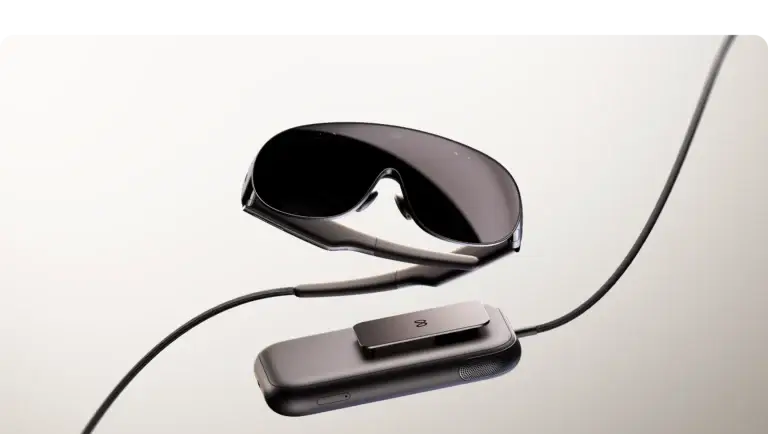
Meta has announced a separate device called Meta VR Glasses, planned for spring 2027 at US$1,299.99. It is the confirmed upcoming product discussed here, not a named “Quest 4”. Meta’s announcement.
The glasses use a different physical arrangement, with computing and battery hardware in a separate puck. Meta’s developer material describes eye and hand input as central, with Touch Plus controllers available separately. That design changes the comparison: what sits on your face, what sits elsewhere, and how you interact all need to be considered together.
Do not compare a glasses-only weight with the full weight of an all-in-one headset and call that a complete system-weight comparison. Likewise, a high-resolution display does not prove every app will look or behave identically. Supported inputs, field of view, software implementation and the full setup matter.
If you are deciding whether to wait, identify what you need now. A future media or workspace-focused device may be attractive, but a planned release window is not a hands-on verdict or a guaranteed exact launch date. There is no reason to invent Quest 4 specifications, pricing or a release date to fill that gap.
For these guides, announced hardware is labelled as announced. Buying advice about an available device should be judged on the applications you can use, the total cost and the experience you can try today. Revisit the comparison when the new product ships and its real-world behaviour can be assessed.
For a prospective Quest 3S buyer, the announced US$1,299.99 glasses occupy a very different price bracket. A current lower-cost gaming setup and a future premium spatial/media device should be compared as different spending decisions.
Input and platform details: Meta VR Glasses developer overview. Planned release information was checked on 2 October 2026.
How to make the choice for yourself
Quest 3S is a sensible model to compare for a first modern Quest setup when upfront price matters and its optics suit you. Confirm the app library and fit, then compare the total cost with Quest 3. It is better to make that comparison around a task than around a vague “premium versus cheap” label.
For a Quest 2 owner, the gain is the newer processing platform and colour mixed reality. The familiar display resolution does not erase those changes, but neither does the new processor create pancake optics. Identify whether your upgrade goal is app compatibility, mixed reality or clarity.
Between the two storage options, list the large apps you want ready together. If you rotate a small set of games, reinstalling occasionally may be acceptable. If you stream, record or move frequently between a large library, extra local capacity may be more convenient. Storage is a practical workflow choice.
Against a competing headset, check where your friends play and which version of the application they use. A different platform may offer attractive hardware while requiring separate purchases or a different social environment. Your route into the people and experiences you care about belongs in the comparison.
| Question | Your next step |
|---|---|
| Which experiences matter? | List the exact games, creative tools and social apps you want. |
| Will they run on this model? | Check the supported devices, account requirements and online service. |
| Does the headset suit your eyes and fit? | Try reading, movement and your normal session length if possible. |
| What is the complete cost? | Add essential accessories, games and any PC or console requirement. |
| What will make you upgrade? | Identify the actual limitation: compatibility, optics, battery or workflow. |
Common questions
Is Quest 3S a Quest 2 with a different name?
No. Quest 3S has the newer XR2 Gen 2 / 8GB platform and colour mixed reality, although some display and lens characteristics are similar to Quest 2.
Why choose Quest 3 instead?
For its pancake optics, higher display resolution, continuous lens-spacing adjustment and dedicated depth sensor. Test the differences in your own reading, gaming or creative use case.
Does 256GB improve graphics?
The extra capacity allows more content to be stored locally. It does not change the processor, RAM or lens system.
Can I play without controllers?
Only in applications and interfaces that support hand tracking. Keep the controllers available for games that depend on buttons, sticks or triggers.
Will it last through the watch party?
Plan beyond the typical 2.5-hour estimate. A three-hour event may require charging and breaks, depending on the activity and battery condition.
Choose your next guide
Read the Quest history and model overview, explore the VR app library, or compare another headset below.
Own this model? Share what works for you in the comments. For a longer story, app experience or collaboration, use Create with me.