Creator tech guide · Checked 20 October 2026
Six small sensors, a phone and your living room. Here is what Sony’s mocopi full-body tracking actually does in VRChat and on Meta Quest, what every kit and add-on costs, what early owners need to buy before this month’s deadline, and why Mac users are still left out.
I bought mocopi myself for my VR avatar, so this one is personal. I like the system and I like that Sony gives it its own app. I also think the pricing, the drip of separately sold parts and the Windows-only PC software deserve a straight explanation before you spend the money. Prices and specifications below come from Sony and its retailers; where something could not be confirmed, I say so.
What is Sony mocopi? Six little pucks and a phone
Full-body motion capture used to mean a rented room, a camera rig, and someone whose job was watching markers. Sony’s pitch for mocopi was the opposite: six small sensors, a phone, and wherever you happen to be standing.
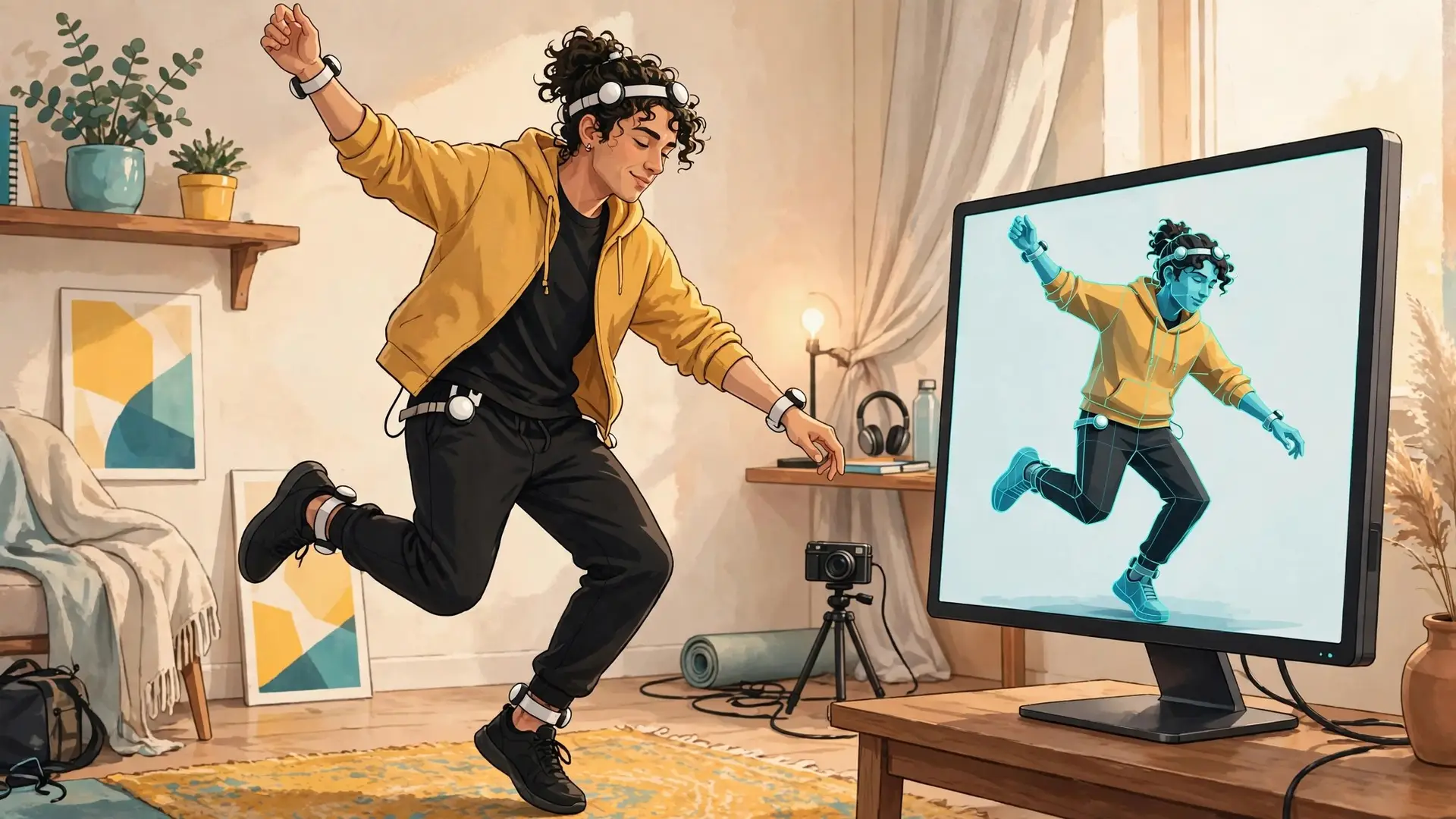
Each sensor straps or clips to your head, hip, wrists and ankles, pairs over Bluetooth, and runs on its own rechargeable battery. No cables, no base stations in the corners. Sony’s software estimates a full body from those six points, so your avatar sits, waves, dances and walks when you do.
In the free phone app you can drive an avatar, import your own, and export the result as an MP4 video or as motion data for 3D software. Sony also publishes an SDK for Unity, Unreal Engine and MotionBuilder, and a Maya plugin, so the motion can go straight into a project or out live.
mocopi launched in Japan in January 2023 at ¥49,500 and reached the U.S. in mid-2023 at about $449. Since then Sony has added a direct PC receiver, a free SteamVR app, a 12-sensor “Professional Mode” and paid desktop software. That growth is the good news. The catch is that most of it is sold separately.
Sources: Sony U.S. launch announcement, Japanese launch pricing.
mocopi specifications at a glance
| Specification | Details |
|---|---|
| Model | QM-SS1 (one set = 6 sensors) |
| Sensor size / weight | About 32 × 11.6 mm (1.26 × 0.46 in); 8 g each |
| Body positions | Head, hip, both wrists, both ankles |
| Connection | Bluetooth LE 5.2 to a phone, or to a PC through the separate QM-PR1 receiver |
| Battery | Up to about 10 hours per charge (retailer specification); USB-C charging case |
| In the box | 6 sensors, headband, 2 wrist bands, 2 ankle bands, waist clip, charging case |
| Phone app | mocopi app, free; iOS 15.7.1+ or Android 11+ |
| Exports | MP4 video and motion data (BVH/FBX via Sony’s apps) |
| Japan launch price | ¥49,500 (January 2023) |
| U.S. launch price | About US$449 (2023) |
Sources: Sony launch release, Japanese retail specification, Knox Labs kit contents.
mocopi kits and add-ons: receiver, sensor bands and Pro Kit
This is the part Sony’s own pages make harder than it should be. There are three hardware pieces, and every kit is just a different combination of them:
| Part | Model | What it does | U.S. list price |
|---|---|---|---|
| mocopi (6 sensors) | QM-SS1 | The sensors, bands and charging case. | About $449 |
| Sensor data receiver for mocopi | QM-PR1 | USB-C dongle that connects one set of 6 sensors straight to a Windows PC. Needed for the mocopi VR app, the PC app and XYN Motion Studio. | $110 (B&H $108.99) |
| Sensor band for mocopi | QM-PB1 | Extra bands for arms, thighs and hands or feet, used in 12-sensor Professional Mode. | $60 (B&H $58.99) |
| Kit | Contents | Who it is for |
|---|---|---|
| mocopi (standard) | 1 × QM-SS1 | Phone-based recording, avatar videos, motion data. |
| mocopi VR Kit | 1 × QM-SS1 + 1 × QM-PR1 | Full-body tracking in PC VR (SteamVR, VRChat) and VTuber streaming from a PC. UploadVR put it at around $560. |
| Professional Mode Add-On Kit | 1 × QM-SS1 + 2 × QM-PR1 + 1 × QM-PB1 | Owners of a first set who want 12 sensors. |
| mocopi Pro Kit | 2 × QM-SS1 + 2 × QM-PR1 + 1 × QM-PB1 | 12-sensor capture from scratch. $1,180 list. |
What each route costs at U.S. list prices
Two details catch people out. One receiver handles only one set of six sensors, so 12-sensor mode always needs two receivers. And if you bought mocopi in 2023 or 2024, before the receiver existed, your box contains no way to connect to a PC without your phone in the middle. That matters a lot this month.
Source: Sony help guide: QM-PR1 receiver.
mocopi price and availability by country (US, Japan, Europe, UK)
Sony sells mocopi officially in a short list of markets. Here is what I could confirm on 20 October 2026. These are reference prices, not a live checkout quote.
| Market | Status | Reference prices |
|---|---|---|
| United States | Official (Sony, B&H, Amazon) | 6 sensors ~$449; receiver $110; bands $60; Pro Kit $1,180 |
| Japan | Official, launch market | ¥49,500 at launch for 6 sensors |
| Singapore | Official Sony store (also sells the VR and Add-On kits) | Receiver S$149 list (seen at S$136.70 on promotion) |
| Netherlands / EU | No official Sony Europe listing found | Third-party resellers only; one EU reseller listed the 6-sensor set at €826 including VAT |
| United Kingdom | No official listing found | Import only, via forwarding services or marketplace sellers |
For readers in Europe, including here in the Netherlands, the honest answer is that mocopi is an import. A U.S. or Japanese order adds shipping, import VAT and handling, and a reseller’s markup can push the six-sensor set far above the U.S. price. Before you order, check the warranty (Sony’s is regional), the charger’s plug, and whether the paid PC software can be activated where you live; the annual activation code, for example, is only available in Japan and the U.S.
Sources: Sony Store Singapore, iShopChangi receiver listing, Techvers.eu listing, mocopi PC app payment plans.
mocopi link discontinued: what early owners need before 28 October 2026
If you bought mocopi before the receiver existed, you probably connect to your PC through the mocopi link phone app. Sony is ending it. From 28 October 2026 the app disappears from the App Store and Google Play, and the PC apps (mocopi PC, mocopi VR and XYN Motion Studio) drop support for mocopi link connections from their next update.
- If mocopi link is already on your phone, it keeps working, but gets no updates. If you delete it after 28 October, you cannot download it again.
- To keep using the phone bridge, you would also have to skip future PC app updates or reinstall the archived versions Sony is hosting until the same date. Archived versions get no new features.
- The long-term fix is the QM-PR1 receiver (about $110). It connects the sensors straight to your PC and is the only route Sony will support going forward.
So the “expansion” many early buyers need is not more sensors. It is a $110 dongle that did not exist when they paid for the original kit. I think Sony should have bundled it, or offered existing owners a discount, before retiring the free route. If you are on the phone bridge today, do not uninstall mocopi link, and budget for the receiver.
Source: Sony XYN: mocopi link discontinuation notice.
mocopi apps, subscription prices and PC requirements
| App | Runs on | Price | What it is for |
|---|---|---|---|
| mocopi app | iPhone, Android | Free | Avatar recording, MP4 and motion export, live sending. |
| mocopi link | iPhone, Android | Free; withdrawn 28 Oct 2026 | Old phone-to-PC bridge for sensor data. |
| mocopi VR | Windows PC + SteamVR headset | Free | Turns the sensors into SteamVR trackers. Needs the receiver. |
| mocopi PC app | Windows 10 or later | $4.49/month (Microsoft Store, 30-day trial) or $53.88/year code (Japan and U.S. only) | Live streaming and recording from a PC; 12-sensor mode. |
| XYN Motion Studio | Windows | $8.99/month | Capture, editing, clip blending, grounding cleanup, cloud storage. |
| Maya plugin | Windows and macOS | Free | Receives mocopi motion inside Autodesk Maya over the local network. |
Sony’s recommended PC for the desktop apps is an Intel Core i7-11700, a GeForce RTX 3060, 16GB of RAM and 64-bit Windows 10 or later. Not a monster machine, but not an old laptop either.
Sources: mocopi VR, mocopi PC app, PC app download and plans, Maya plugin requirements.
mocopi for VRChat and Meta Quest: full-body tracking in SteamVR
Sony’s mocopi VR app is the piece that makes the sensors act as trackers in SteamVR. Inside VRChat, that means your legs finally exist: you can sit, stand, cross your legs and dance badly, and your avatar does it too. For an avatar creator like me, that is the whole point.
Calibration can be done by pressing the HIP sensor while you are already wearing the headset, which saves the headset-off, headset-on dance. Sony says the app also uses algorithms meant to cut drift in long sessions, including long stretches of sitting still, which is exactly what social VR turns into.
On a Quest, the route is PC VR: Quest Link, Air Link or a streaming app connects the headset to a Windows PC running SteamVR, and the receiver brings in the sensors. Without a Windows PC, the full-body VR features are out of reach.
mocopi problems: accuracy, drift and slipping straps
Six points of tracking is an estimate of a body, not a measurement of one. The system guesses knees and elbows from where your hands and feet are, and Sony notes that accuracy varies with the avatar you use. Guesses can look wrong.
Then there is the strap problem. UploadVR’s tester went harder than most of us will, with army crawls and jump kicks, and found that a slipping strap confused the system and forced a recalibration. Recalibrating is quick; doing it three times in a session is still annoying, and hard movement needs a sturdier mount than the stock straps.
Drift is the third wobble. Sony’s PC software offers camera blending, which mixes in data from an external camera to reduce positional and rotational drift. It is off by default, and Sony warns it can misbehave if the camera cannot see you properly. Know the toggle exists before your first long session.
| Problem | Likely cause | What to try |
|---|---|---|
| Knees or elbows bend oddly | Six-point estimation; avatar proportions | Recalibrate in a neutral pose; test another avatar; consider 12 sensors for detailed work. |
| Body slowly slides or rotates | Drift over a long session | Recalibrate from the HIP sensor; try camera blending in the PC app. |
| Sudden jumps after fast moves | Strap slipped | Tighten bands; use firmer third-party straps for active play. |
| PC can’t see the sensors | mocopi link withdrawn or unsupported version | Use the QM-PR1 receiver. |
Source: UploadVR mocopi Pro impressions, GDC 2025.
Does mocopi work on Mac? The Mac problem in VR
Here is my frustration. Every desktop piece of mocopi that matters for VR (mocopi VR, the mocopi PC app and XYN Motion Studio) is Windows-only. A Mac owner who paid the same money gets the phone app, and that is it.
A lot of people coming into VR now are not PC gamers. Plenty are adults who bought a headset to create, collaborate and socialise, and many of them work on Macs. They want the same full-body features, and after paying VR-gear prices for trackers, that is not an unreasonable ask.
It is also not impossible, because other VR companies already serve Mac owners:
- Fluid is a multi-window workspace and browser for Quest. Its desktop companion, Fluid Link, comes in macOS and Windows versions and streams your computer’s apps, one window at a time or the whole screen, into Fluid on your headset, with a shared clipboard and file transfer. Fluid Stream, also for Mac and Windows, shares your screen into Fluid Rooms so friends can watch together. A MacBook in VR, no PC needed.
- Meta Virtual Display reached feature parity on Mac in September 2026: the same screen formats, multi-monitor support, quick-connect prompt and input forwarding that Windows has.
- Sony itself already ships a mocopi plugin for Maya that runs on macOS, so mocopi motion data can reach a Mac today.
Compare that with Bigscreen, one of the best-known apps for watching films and sharing screens in VR. Its developer has confirmed that streaming your own content into Bigscreen requires a Windows PC. A Mac owner can join a Bigscreen room, but cannot share their own MacBook screen into it.
| App or feature | Mac | Windows | What it does |
|---|---|---|---|
| Fluid Link | Yes | Yes | Streams computer apps or the whole screen into Fluid on Quest. |
| Fluid Stream | Yes | Yes | Shares your screen in Fluid Rooms for watching together. |
| Meta Virtual Display | Yes | Yes | Your computer as up to three large virtual screens. |
| Bigscreen (share your own screen) | No | Yes | Desktop streaming into Bigscreen rooms. |
| mocopi VR, mocopi PC app, XYN Motion Studio | No | Yes | Full-body tracking, streaming and motion editing. |
| mocopi Maya plugin | Yes | Yes | Receives mocopi motion inside Autodesk Maya. |
That pattern, where so much of VR is built around Windows PCs, is a big reason Apple Vision Pro looks appealing to Mac users despite its price. On Vision Pro, working with your Mac inside the headset is a built-in feature (Mac Virtual Display), not a third-party workaround. It is a different ecosystem, without the Quest game library or SteamVR, so it does not solve full-body tracking either. But it shows what Mac owners have come to expect.
There is a real obstacle: SteamVR has not supported macOS since Valve dropped it in 2020, so a Mac version of mocopi VR could not simply plug into SteamVR. But a Mac version of the mocopi PC app for streaming and recording, or a route that sends tracking straight to apps on a standalone Quest, would not need SteamVR at all. That is what I would like Sony to build, and other tracker makers too.
What Mac users can do today: record and export with the phone app; use the Maya plugin; or run Windows on a separate PC. Boot Camp works only on older Intel Macs, not Apple silicon, so it is not a general answer.
Sources: UploadVR on Meta Virtual Display Mac parity, MIXED review of Fluid, Fluid Link, Fluid Stream, Bigscreen developer on Windows-only streaming, Sony: PC app is Windows-only.
mocopi vs mocopi Pro Kit: six sensors or twelve?
The 12-sensor Professional Mode adds tracking on arms, thighs and hands or feet, plus offline grounding refinement in XYN Motion Studio, which cleans up feet floating or sliding after you record. Compatibility is listed for Maya, Unity, MotionBuilder, Unreal Engine and VRChat. One catch: XYN’s editing currently works only on mocopi-captured data.
Here is my split. Streaming as an avatar, hanging out in VRChat, recording takes for short videos? Six sensors, the receiver and the free VR app cover the job. Delivering animation to a client, where sliding feet ruin the shot? That is where the Pro Kit’s cleanup stops being a luxury. The jump to $1,180 buys post-production time more than it buys magic.
| Your situation | What to buy |
|---|---|
| New, phone-only, no PC VR | Standard mocopi (6 sensors). |
| New, want full-body VRChat on a Windows PC | mocopi VR Kit (sensors + receiver). |
| Early owner using mocopi link | One QM-PR1 receiver, before your setup breaks. |
| Owner wanting 12 sensors | Add-On Kit, or a second set + two receivers + one band set. |
| Animator delivering client work | Pro Kit plus XYN Motion Studio. |
| Mac only | Phone app features only; wait for Mac software or budget for a Windows PC. |
A last thing before you strap in
mocopi is part of the setup behind this site. A Quest headset and a set of these sensors is genuinely enough to perform as a character on a livestream. But the kit records movement; it doesn’t give you anywhere to be. The avatar, the world, and the reason people stay and watch are still yours to build.
Common questions
Do I need the receiver if I only use my phone?
No. The receiver is for Sony’s Windows PC apps. Phone recording and export work with the six sensors alone.
I bought mocopi in 2023. Will it still work after 28 October 2026?
The sensors keep working with the phone app. The phone-to-PC bridge (mocopi link) is being withdrawn, so for PC use plan on the $110 receiver.
Does mocopi work with Meta Quest?
Yes, through PC VR: the Quest connects to a Windows PC running SteamVR, and the mocopi VR app with the receiver adds the trackers.
Does mocopi work on a Mac?
Only partly. The phone app and the Maya plugin work; mocopi VR, the mocopi PC app and XYN Motion Studio are Windows-only.
How can I use my MacBook inside VR on a Quest?
Use Meta Virtual Display, which is built into Quest, or Fluid Link from Fluid. Both have Mac versions. Bigscreen’s own screen sharing needs a Windows PC.
Is there a Mac version of mocopi VR?
Not as of October 2026. mocopi VR depends on SteamVR, which does not run on macOS.
Is Sony mocopi worth it in 2026?
For avatar streaming and full-body VRChat on a Windows PC, yes, if you budget for the receiver. For Mac-only users, or anyone expecting studio-grade accuracy from six sensors, think twice.
Can I buy mocopi in the Netherlands or elsewhere in Europe?
I could not find an official Sony Europe listing. Expect to import from the U.S. or Japan, or pay a reseller premium, and check warranty and software activation first.
Is 12-sensor mode worth it for VRChat?
For most social VR, six sensors are enough. Twelve help when you need detailed limb movement or clean recorded animation.
More from inside the headset
Read why your Meta avatar can’t follow you into VRChat, start with your first days with Meta Quest, or browse the VR app library.
Own mocopi? Share what works for you in the comments, especially if you are on a Mac. For a longer story or collaboration, use Create with me.